
USSD integration
USSD (Unstructured Supplementary Service Data) lets users interact with your service through a live menu on their phones. Bonga sends each dial or menu response to your configured callback URL using an HTTP GET request. Your application returns plain text beginning with CON to continue or END to close the session.
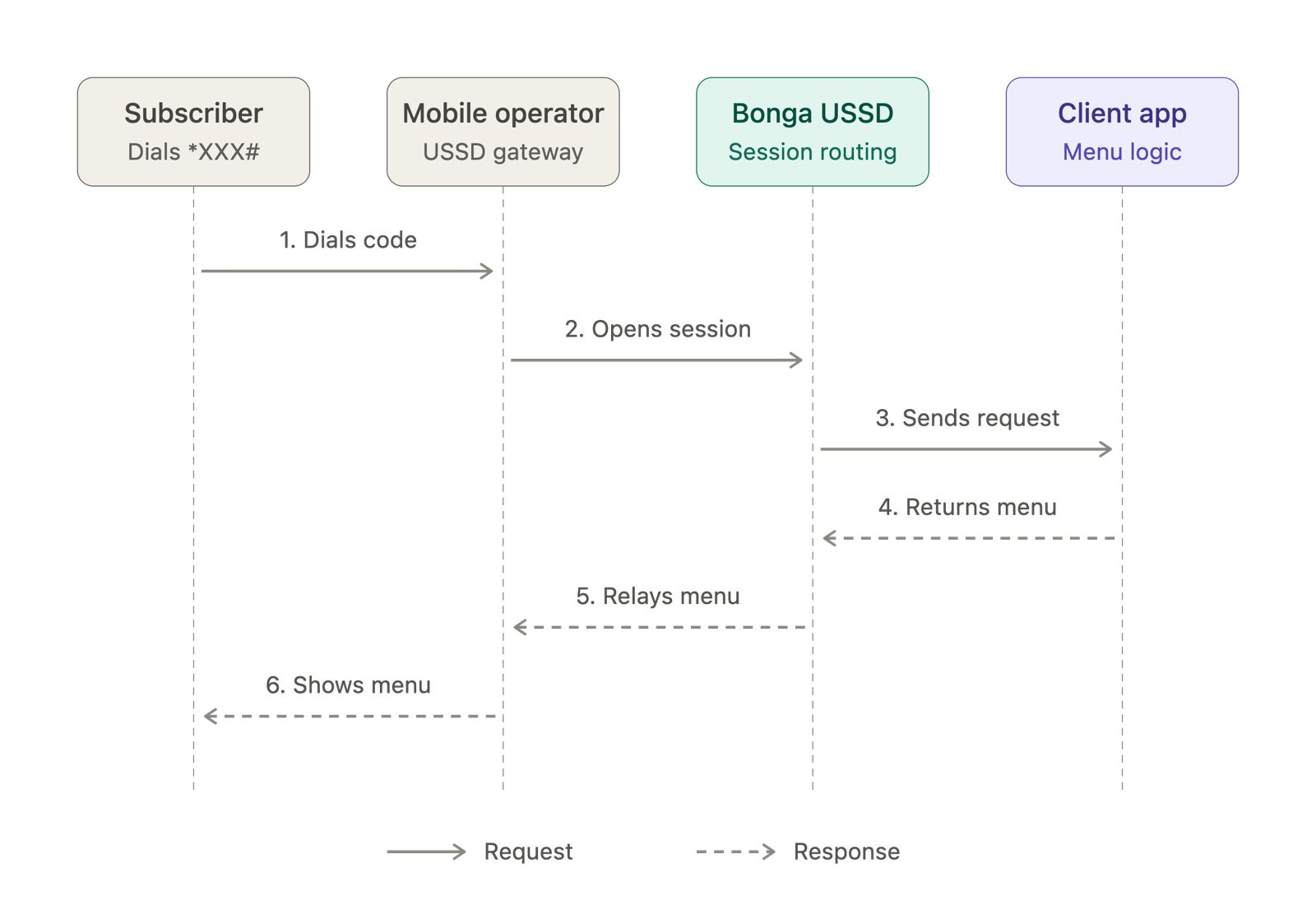
Choose your USSD setup
- Dedicated USSD: your service has its own USSD code. The initial
messageis empty. - Extension USSD: your service shares a base code and uses an assigned extension. The initial
messagestarts with that extension.
Both setups use the same callback API and CON / END response format. Choose the guide that matches the code assigned to your service.
Callback parameters
| Parameter | Description | Example |
|---|---|---|
mobile_number | User's phone number | 254712345678 |
session_id | Identifier for the active session | 1234567 |
message | User input collected in this session | 2*500 |
service_code | USSD base code | *123# |
network | User's mobile network | Safaricom |
The message value accumulates user choices separated by asterisks. The Extension USSD guide explains the extension prefix.
Your callback response
CONkeeps the session open and displays another menu or prompt.ENDcloses the session and displays a final message.
CON Welcome to our service
1. Check balance
2. Transfer money
0. Exit