
Dedicated USSD
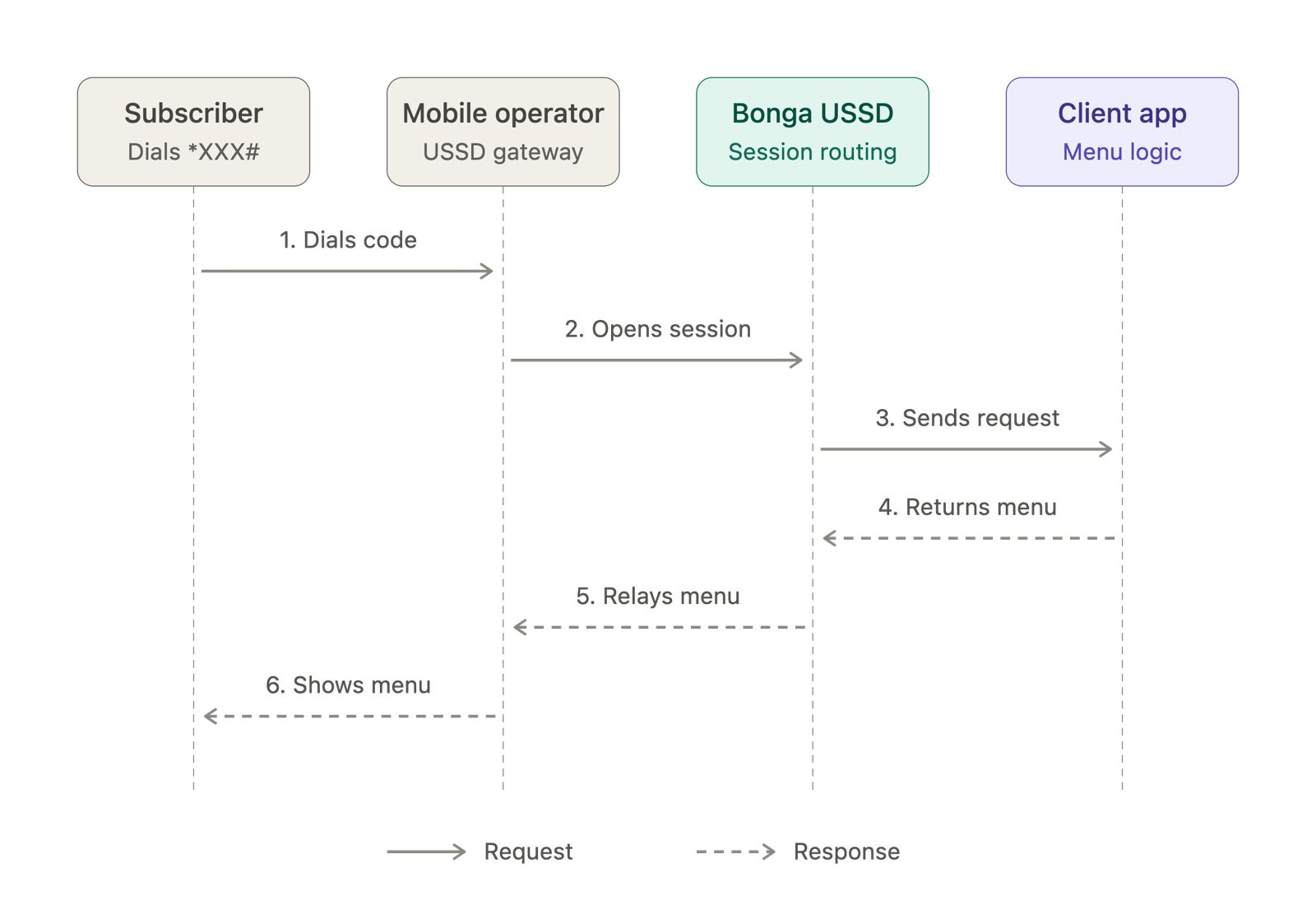
With a dedicated USSD setup, your service has its own code. A user dials that code directly, without entering a shared-service extension. Bonga sends each request to your callback URL using HTTP GET.
Request parameters
| Parameter | Description | Example |
|---|---|---|
mobile_number | User's phone number | 254712345678 |
session_id | Identifier for the active session | 1234567 |
message | User input collected in this session | 1*500 |
service_code | Your assigned USSD code | *123# |
network | User's mobile network | Safaricom |
When the user first dials your code, the message is empty. Later responses are appended and separated by asterisks. For example: empty → 2 → 2254700123456 → 2254700123456*500.
Example: school fees menu
Assume your dedicated code is *123#. On the initial request, show a menu because message is empty:
GET /ussd?mobile_number=254712345678&session_id=1234567&message=&service_code=*123%23&network=Safaricom

CON School Portal
1. Check fees balance
2. View report card
0. Exit
If the user selects 1, the next request contains message=1. Your application can look up the fees and end the session:
END John Doe - Grade 8
Term 1: KES 15,000 (Paid)
Term 2: KES 20,000 (Pending)
If the user selects an option that requires more information, respond with CON and prompt for it. For example:
CON Transfer Money
Enter recipient phone number:
The user's next input is sent to your callback, and the message value includes the previous menu choice followed by the new input.
Response format
- Begin each response with
CONto keep the session active and show another prompt. - Begin each final response with
ENDto close the session. - Return the response as plain text. Keep menu options short and validate each user input.
Read the Extension USSD guide if your service shares a base code and has an assigned extension.